
Setting Up the Flow
Setting up the flow in Shopware Admin
Section titled “Setting up the flow in Shopware Admin”-
Open Flow Builder
In Shopware Admin, go to Settings → Flow Builder and click “Create flow”.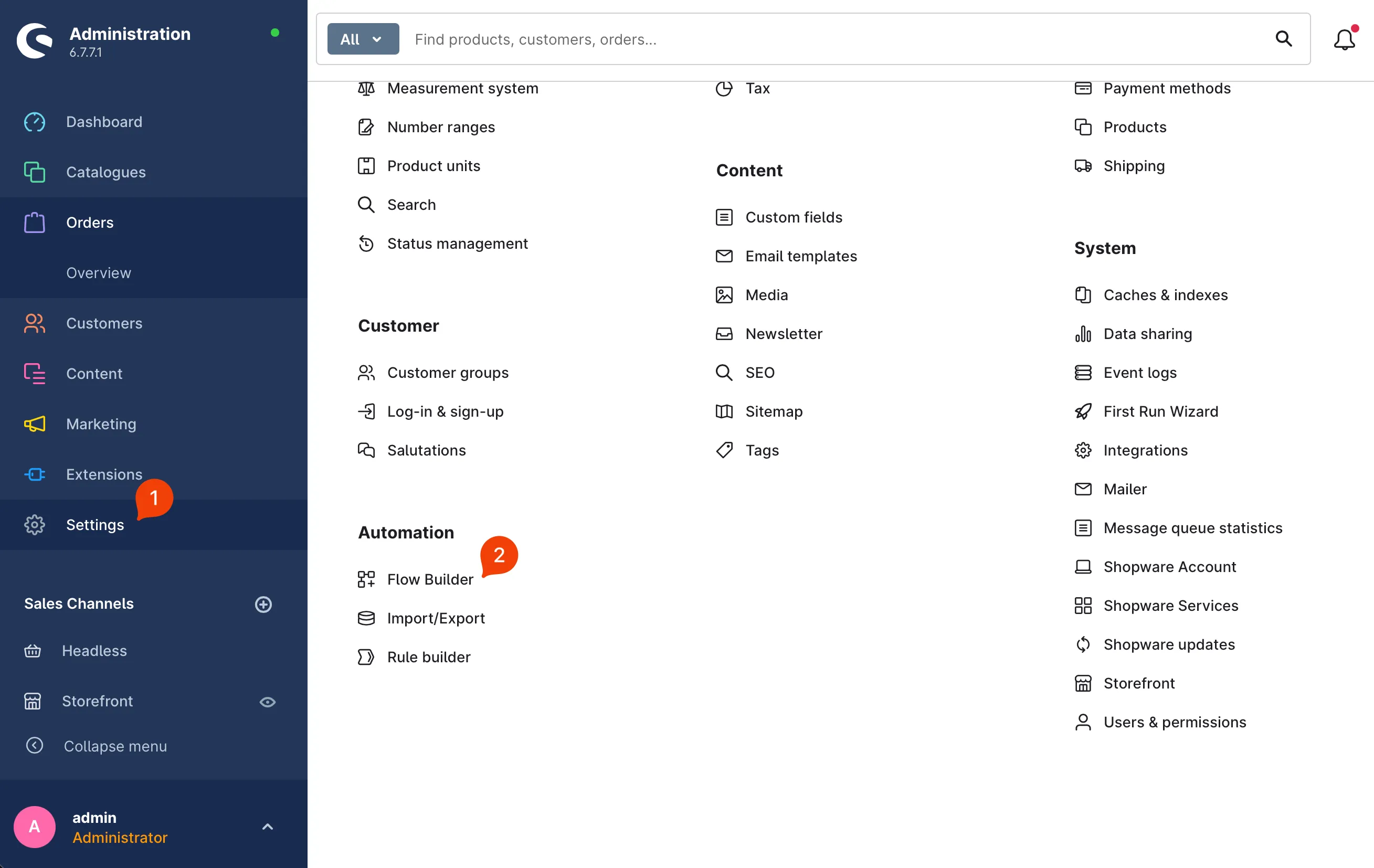
-
Give the flow a name
Choose a name (1) you’ll recognise later, for example “Notification: Product out of stock”. Activate the flow (2).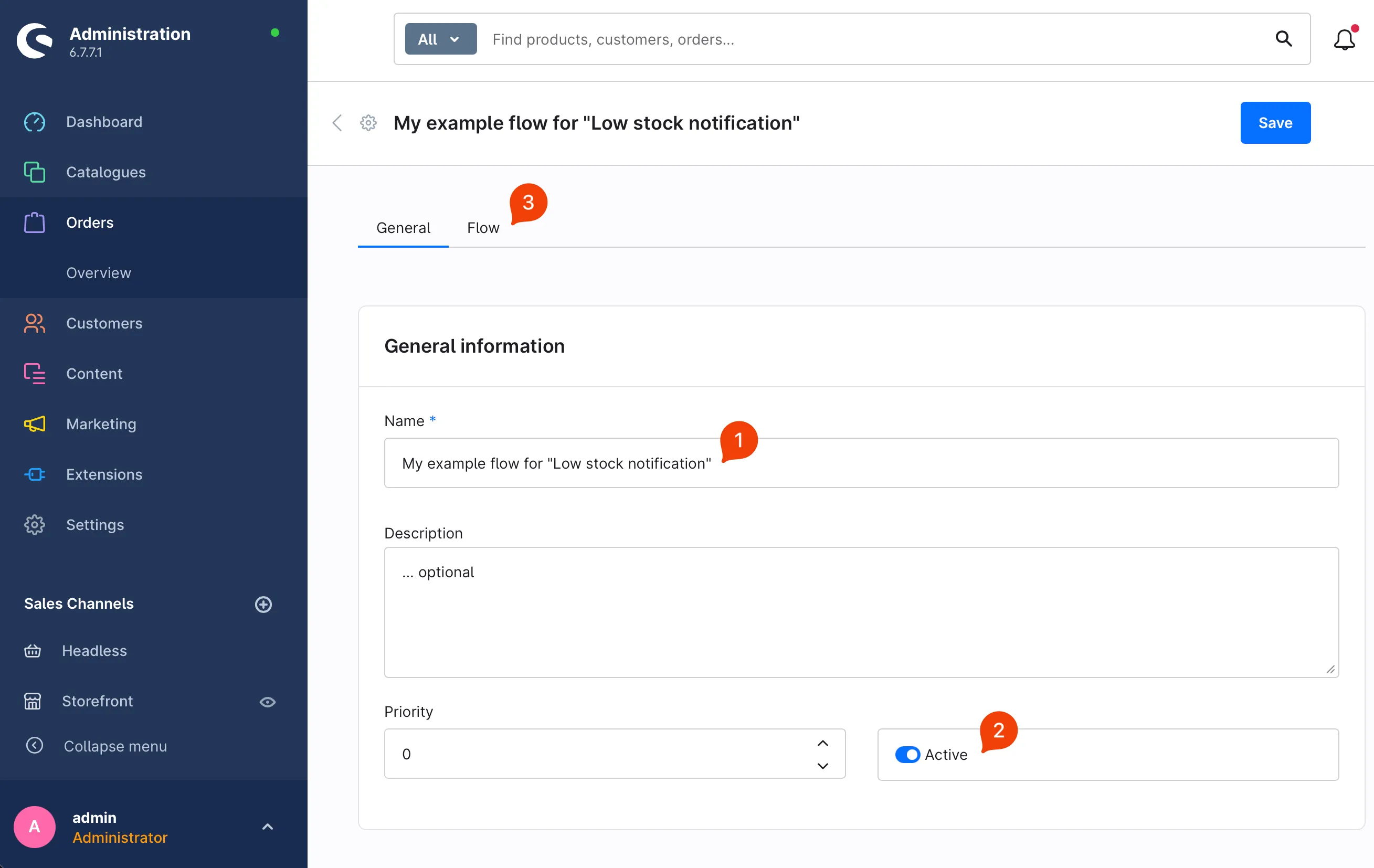
-
Select the trigger
Choose “Out of stock” (2) as the trigger. This option appears in the list once the plugin is installed.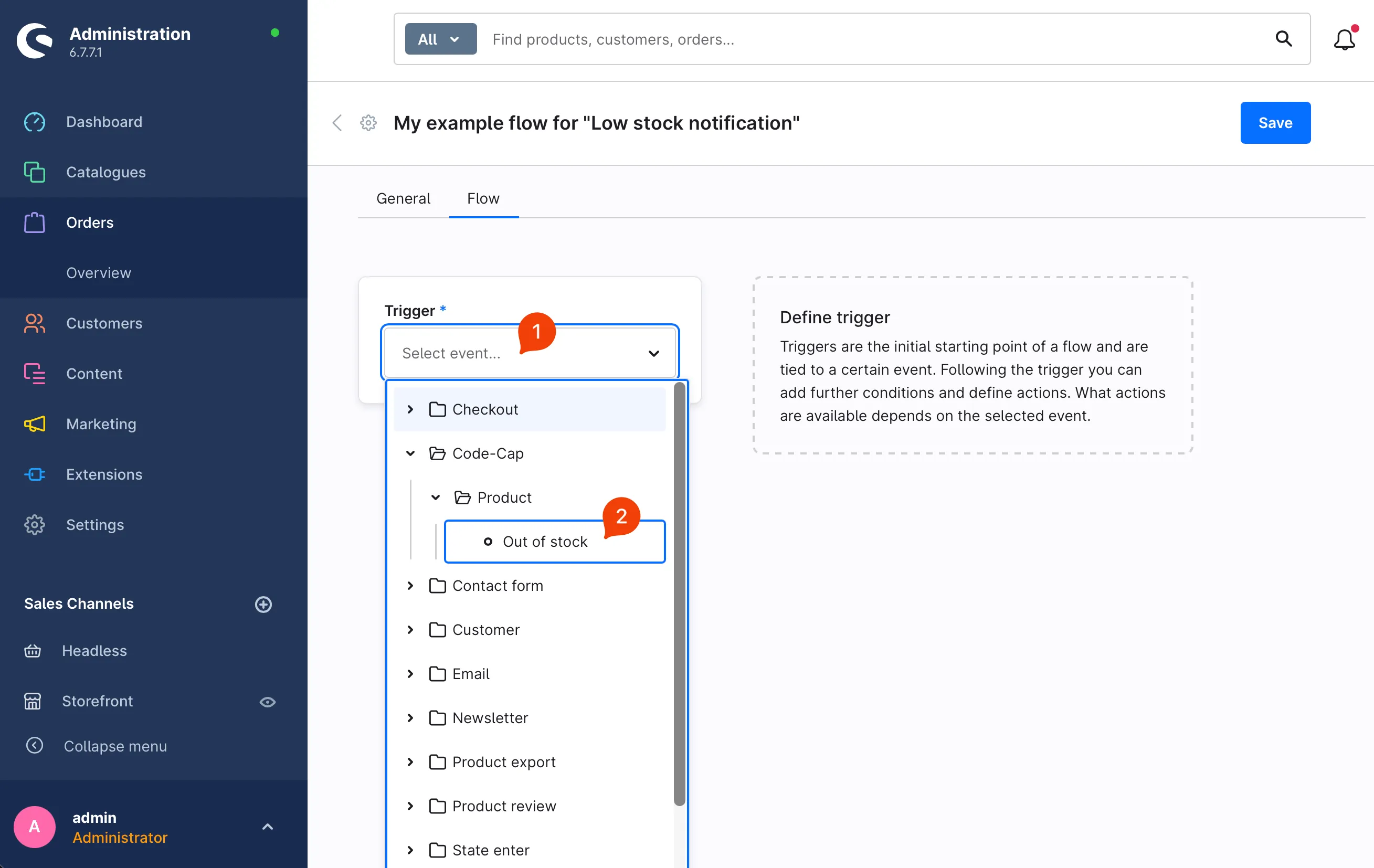
-
Add an action
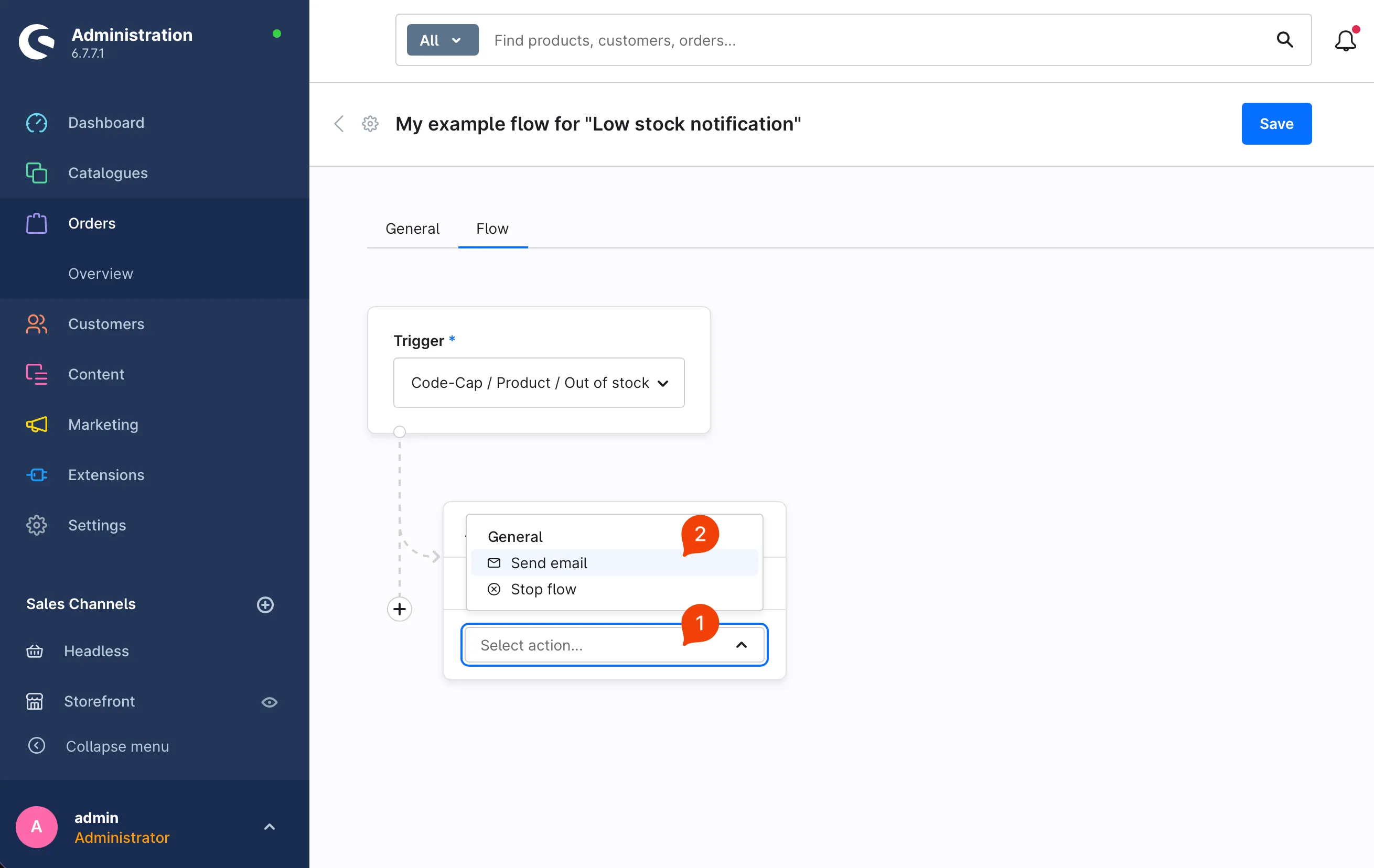
Click “Add action” (1) and choose how you want to be notified – for example “Send email” (2).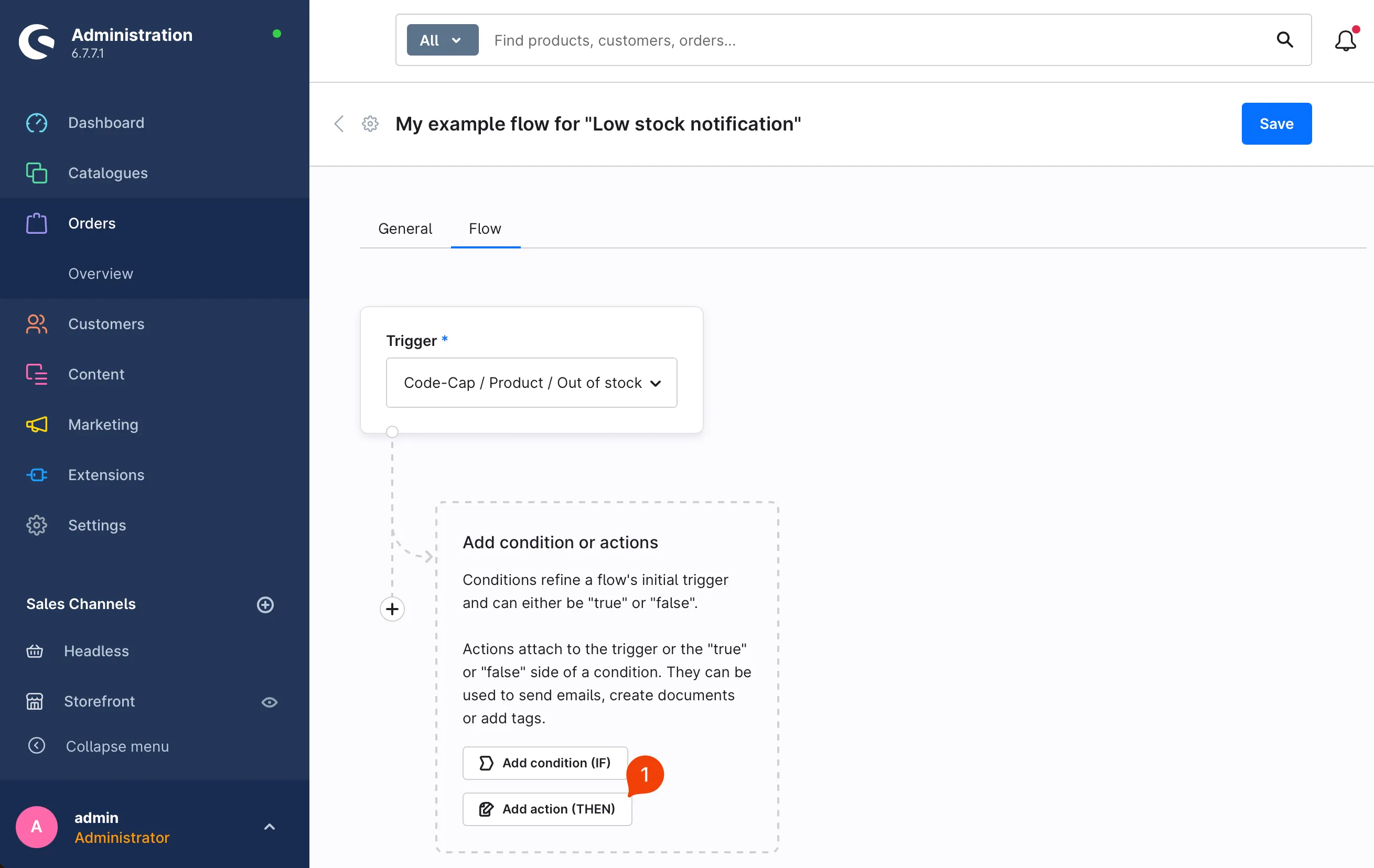
-
Choose the mail template and save the flow
Click into the “Template” field (1) and type “code”. That way you filter all template titles which contain the word “code”. Click on “CodeCap: Low stock notification” (2). Click on “Add action” (3) and save the flow (4).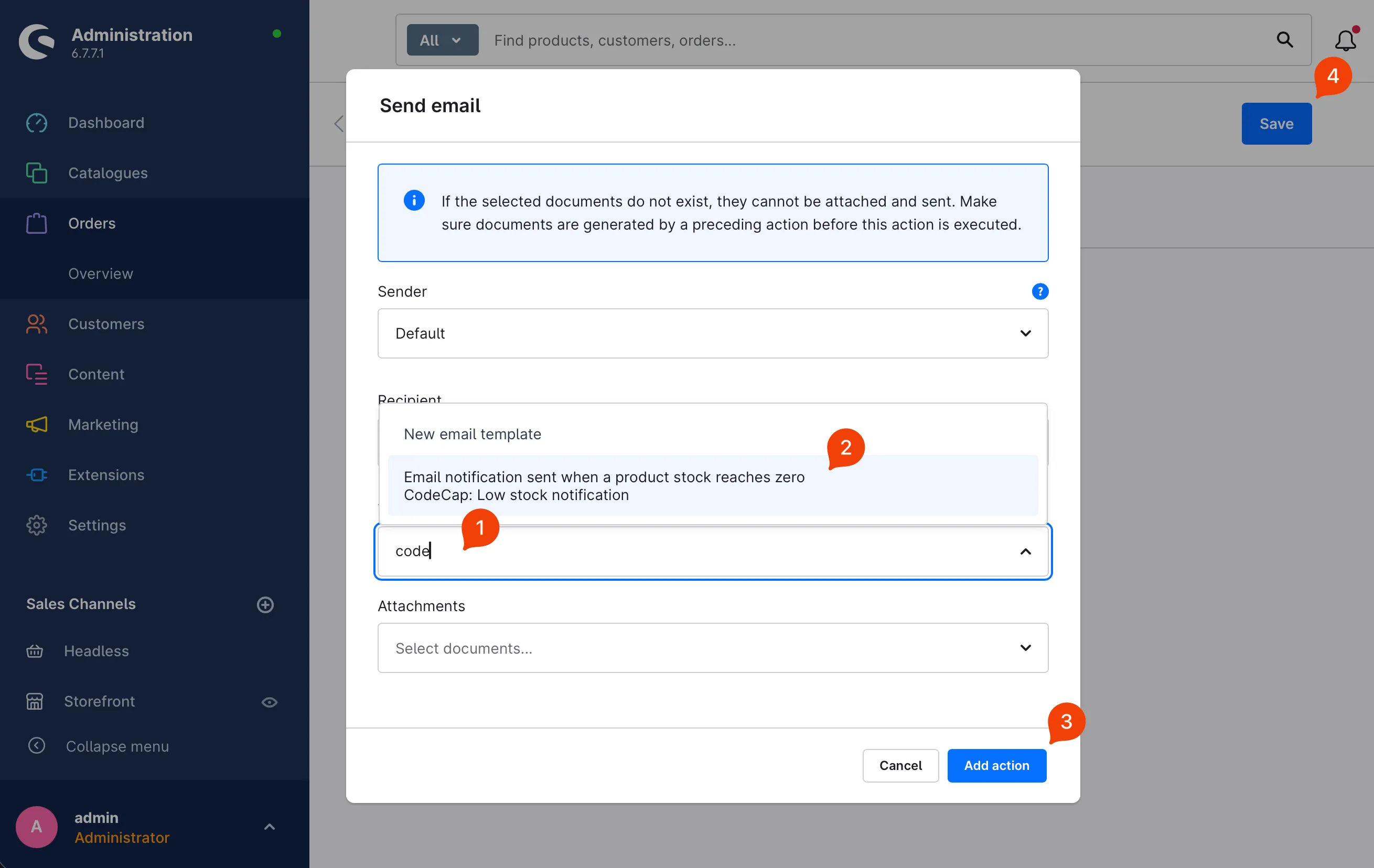
From now on, you’ll receive a notification the moment any product sells out.